lock 100% Local · Completely Free · Open Source
LexiChat

Your private
AI data assistant.

LexiChat connects to your data — REST APIs, SPARQL endpoints, MCP servers and local files — and runs entirely on your machine. Powered by Ollama: no cloud, no subscriptions, nothing leaving your device.

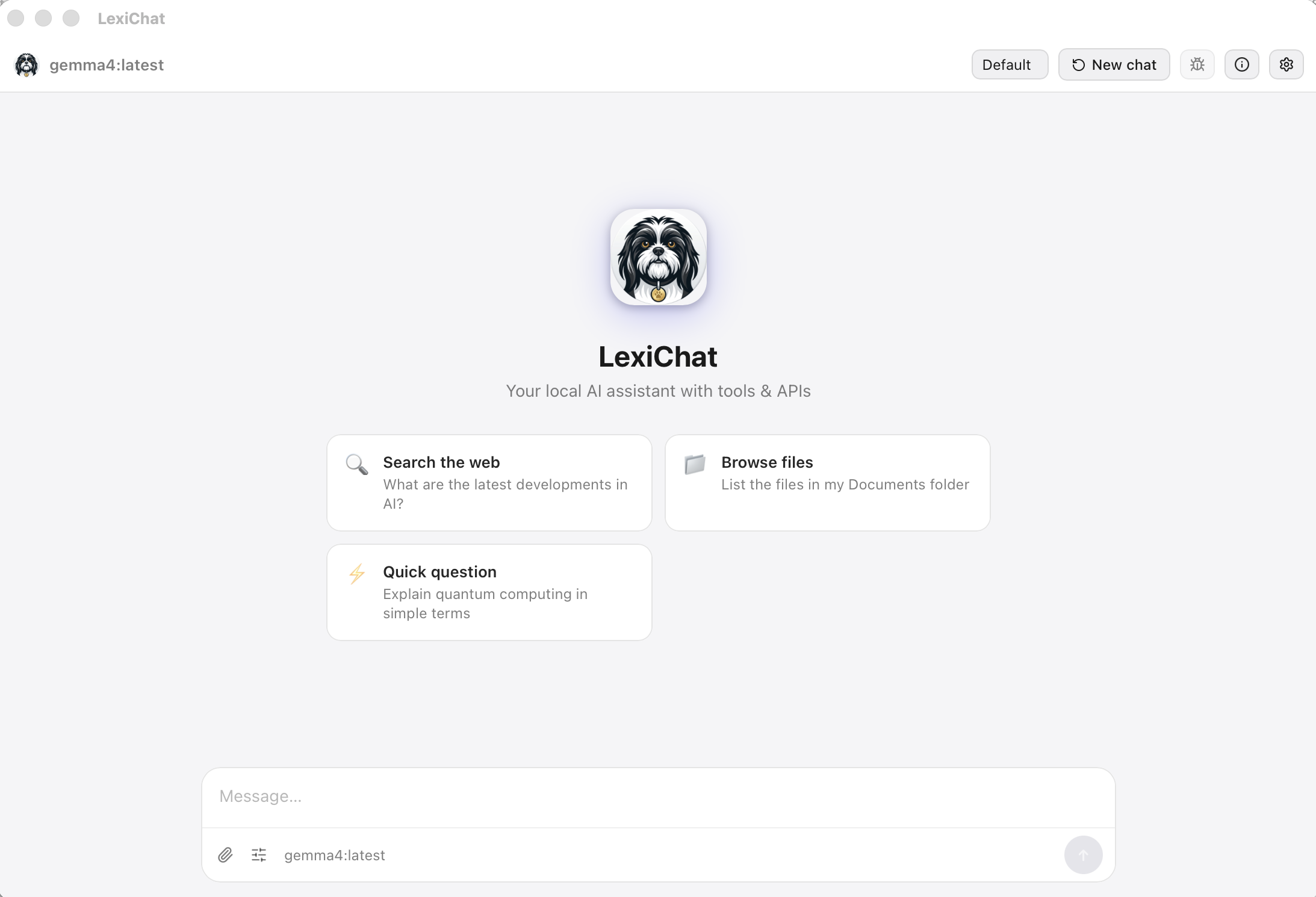
LexiChat interface
check_circleNo subscription required check_circleNo account needed check_circleNo telemetry check_circlemacOS · Windows · Linux check_circle100% free, forever Open Source on GitHub
Download

Get LexiChat v2.0.8

macOS 13 Ventura or later · Apple Silicon & Intel
Universal DMG (recommended)
18.99 MB
downloadDownload
info On first launch right-click → Open to bypass Gatekeeper.
Features

Everything you need.
Nothing you don't.

A complete AI workspace that lives on your hardware.

menu_book

Persistent Long-Term Memory

Most assistants forget everything the moment you close the chat. LexiChat keeps a personal wiki — its long-term memory. Tell it something worth keeping and it files the fact away on its own; ask about it in a brand-new conversation and it searches the wiki, reads the page back, and picks up right where you left off. Perfect for todo lists, project notes, people, dates, and preferences that should outlive a single chat.

The wiki is just plain Markdown files on your own disk — no database, no cloud. Open them in any editor, edit them by hand, back them up, or delete them. They're yours.

historyRemembers across chats
descriptionPlain Markdown on disk
searchSearches before it answers
edit_noteYours to edit or delete
terminal
New · v1.7.1

Python Code Sandbox

Let Lexi write and run Python to compute exact answers — calculations, data processing, parsing and logic — instead of estimating. Every run happens in an isolated interpreter with no network and no surprise file access. You approve execution before it starts, and code can only touch the folders in your sandbox.

lockNo network access
verified_userAsks before running
functionMaths & data crunching
folder_managedRespects your file sandbox
shield

100% Private

Powered by Ollama. Your conversations, files, and queries never leave your machine. No cloud API keys, no usage logging, no third-party servers involved.

No cloud No telemetry Offline-first
folder_open

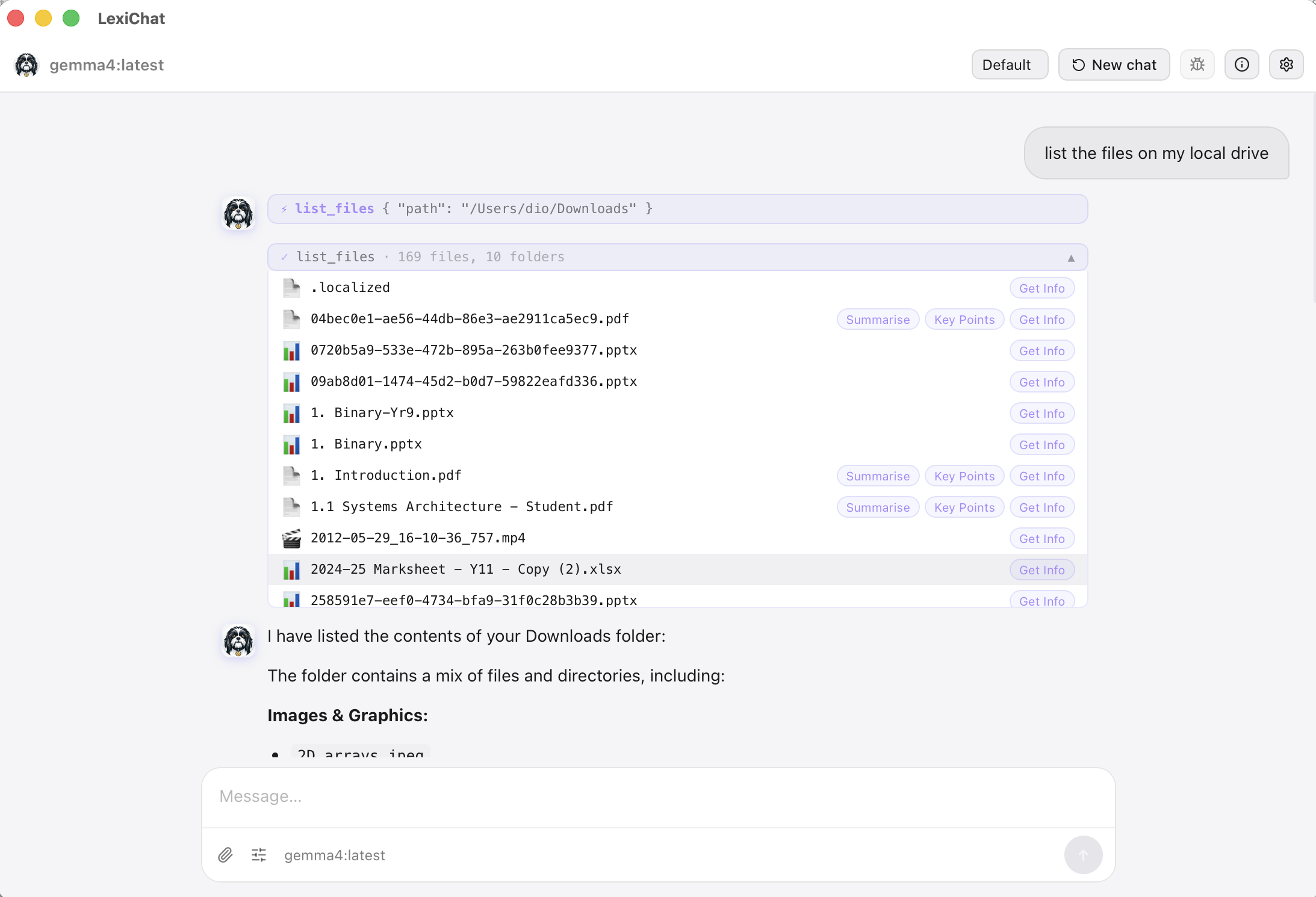
File & Document Tools

Read, write, search, and summarise files directly. Native support for PDF, Word (.docx), plain text, and code files. Browse your folders interactively in the chat.

picture_as_pdfPDF read & write
articleWord .docx support
searchSearch within files
account_treeDirectory trees
travel_explore

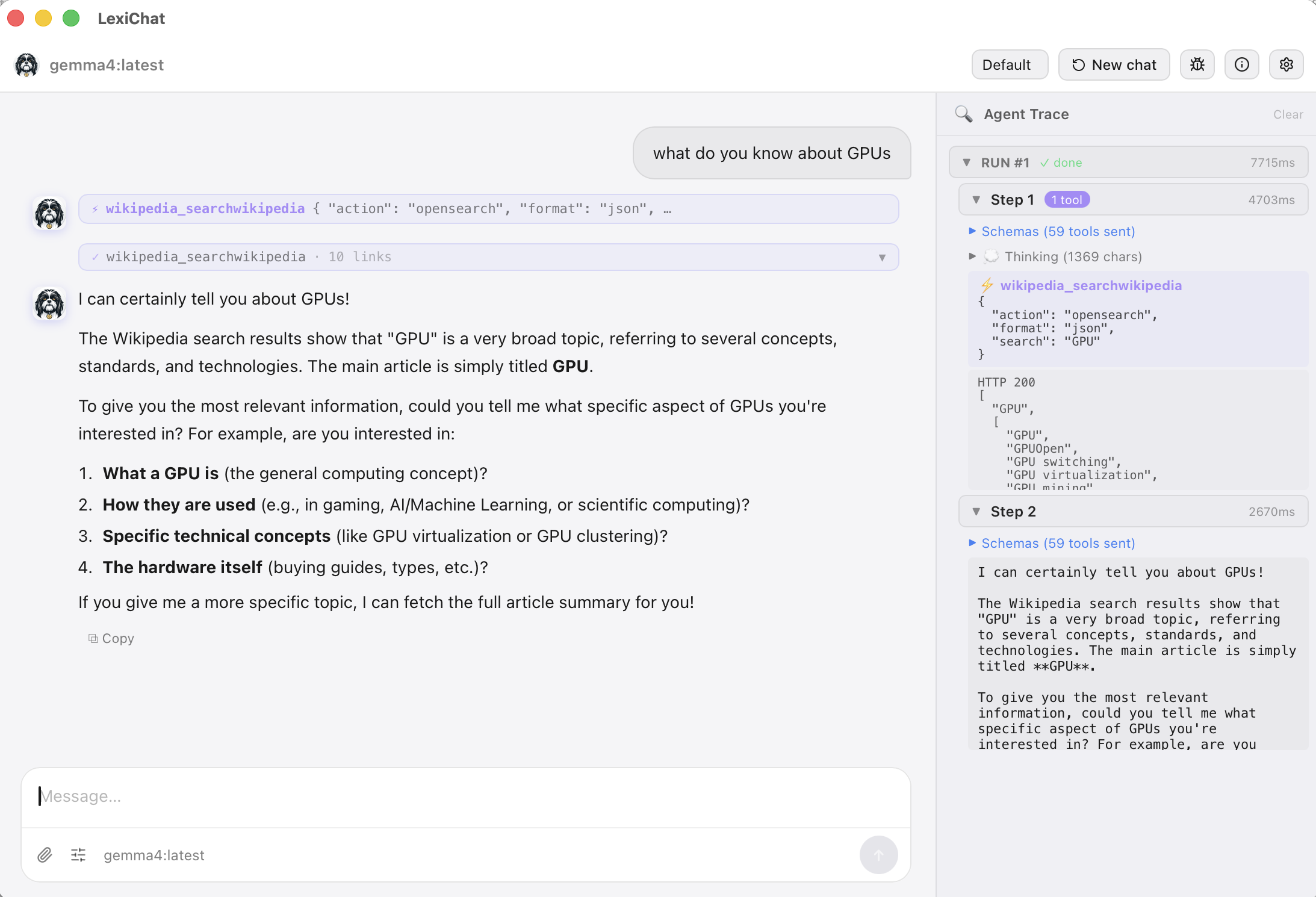
Web Search Built In

Ask about current events, weather, or anything live. LexiChat searches DuckDuckGo and returns real results with clickable links — no browser switching needed.

manage_accounts

Agent Profiles

Create multiple AI personas — a Code Assistant, a Writing Coach, a Research Agent — each with its own model, tools, system prompt, and file sandbox.

extension

OpenAPI, SPARQL & MCP

Connect any external service by pasting an OpenAPI spec, querying SPARQL / linked-data endpoints, or attaching MCP servers — which can even render interactive apps (live UI) right in the chat. Turn LexiChat into a powerful automation hub for your workflow.

tune

Fine-tune Every Response

Progressive chat parameters let you switch between Precise, Balanced, and Creative modes in one click — or dive into advanced controls like temperature, top-p, context window, and more. Set global defaults or change them per-chat.

0.2
Precise temp
0.7
Balanced
1.0
Creative temp
schedule

Scheduled Jobs & Workflows

Define prompts that run automatically — daily, weekly, every N hours, or on demand. Each job is tied to a specific profile and its tools, so it always runs with the right context regardless of which profile you have active.

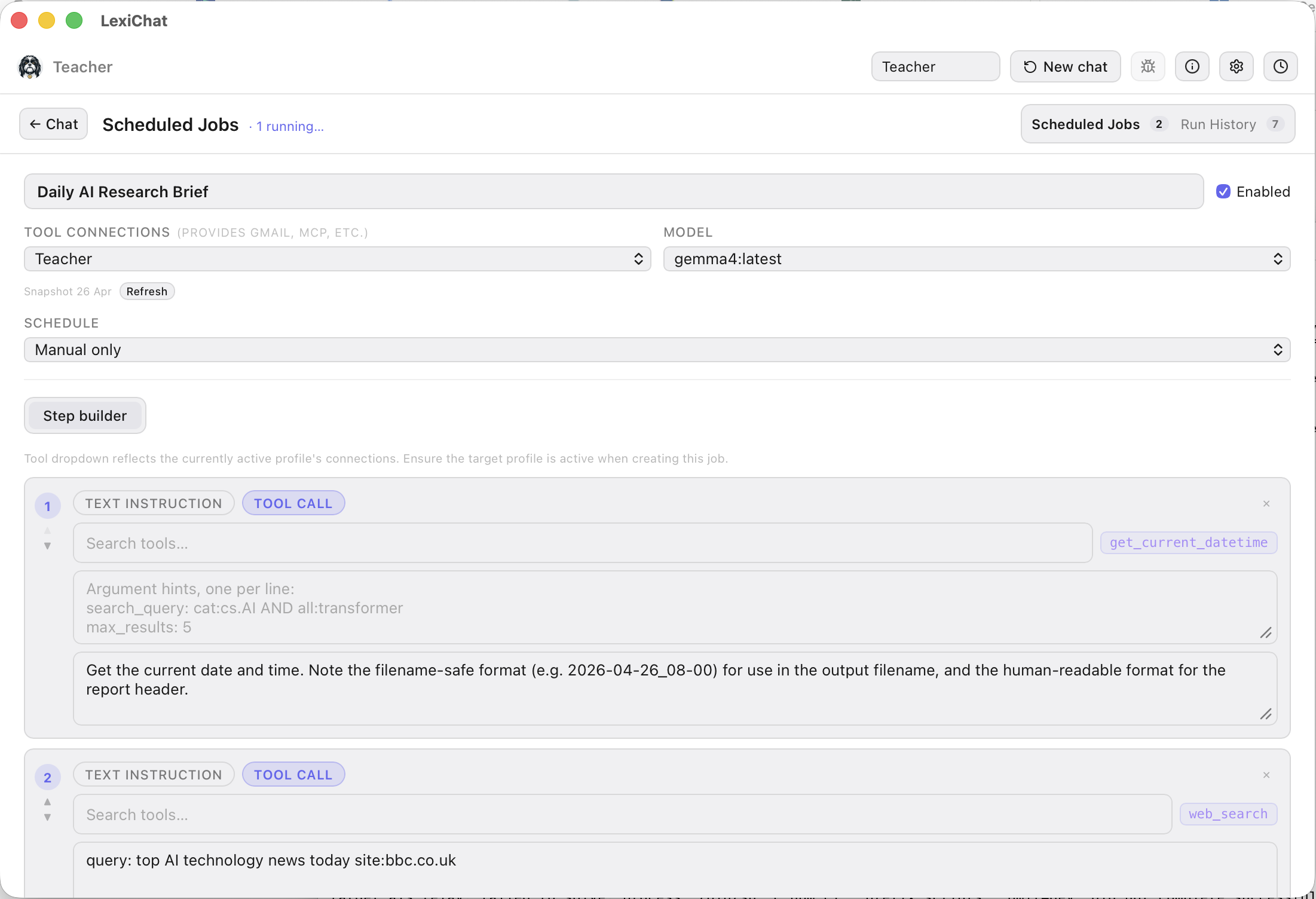
Use the Step Builder to design multi-step workflows: chain text instructions with specific tool calls (web search, file read, datetime, and more) into a precise, repeatable sequence your agent follows every time.

account_treeVisual step-by-step workflow builder
buildPer-job tool selection
historyFull run history with debug trace
saveAuto-save output to file
menu_open

Runs in the Background

LexiChat lives in your menu bar / system tray. Closing the window hides it — your scheduled jobs keep running. Click the icon to bring it back any time.

macOS menu bar Windows tray Linux system tray
Save any response as…
.txt .pdf .docx (styled)

Ready-made Profiles

Don't start from scratch.
Install an expert.

One-click profiles that turn your private local model into a domain analyst — wired to real open-data APIs, ready to research.

Screenshots

See it in action.

LexiChat chat interface

Chat interface with tool results

LexiChat settings

Settings & profile management

LexiChat tools panel

Extensible tools panel

LexiChat Step Builder workflow

Step Builder — design multi-step workflows with chained tool calls

Getting Started

Up and running in minutes.

Three steps. No accounts. No API keys.

1

Install Ollama

Download Ollama for your platform and pull a model. ollama pull gemma3 is a great starting point — it's fast and capable.

2

Download & install LexiChat

Download the installer for your platform from the link above. macOS (Universal), Windows, and Linux (AppImage + .deb) all supported.

3

Start chatting

Open LexiChat, select your model, and start a conversation. Add folders to the Sandbox to give Lexi access to your files, or connect external APIs via the Tools panel.

Support the project

LexiChat is free.

LexiChat is free and always will be. If it saves you time or sparks joy, consider supporting continued development.

Buy Me a Coffee

One-off or recurring support via Buy Me a Coffee.

Buy

Bitcoin

Send sats directly — no platform fees.

bc1q4faazp4qndldfsa8ahqeens3mej0svgwtl7h4v

Every bit of support helps keep LexiChat free and actively maintained.

Questions or feedback? Reach us at info@lexi-chat.com